





Buying guide · Published

Automatic Cat Feeders Without Wi-Fi: What Works Offline?

Choose between onboard meal scheduling, saved meals during Wi-Fi loss and local chip access. Compare exact models and battery-backup limits.

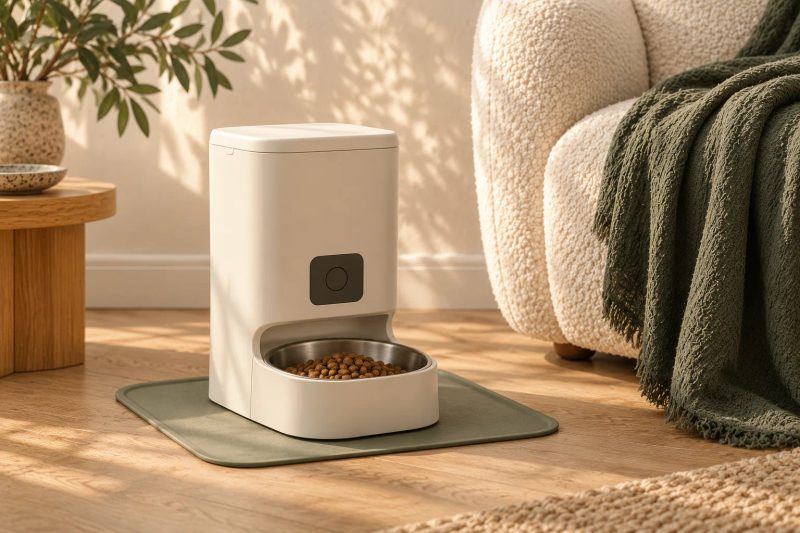
Generic ivory pet feeder with a food bowl on a sage mat beside an armchair.
Editorial illustration · Generic setting
The short answer

Choose by the job you need done.

Choose PetSafe Simply Feed PFD00-14574 if you want to program meal times on the feeder. Granary WiFi PLAF103 is a different option: PETLIBRO documents saved meals during network loss, but setup is connected. Standard SureFeed provides local chip/tag access to food you serve yourself; it does not schedule meals.

Exact scope · PFD00-14574 · Granary WiFi PLAF103/AF103 · SureFeed Standard
A shortlist for different needs

Three approaches.
Choose the one that fits.

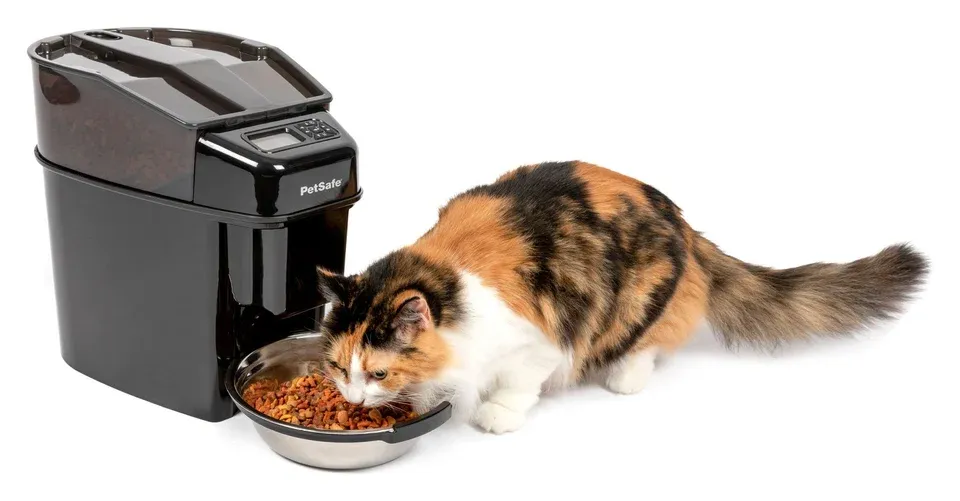
Manufacturer image of PetSafe Healthy Pet Simply Feed PFD00-14574 with a cat eating from its exposed steel bowl.
Manufacturer image: PetSafe
Program meals on the device

PetSafe Healthy Pet Simply Feed

PFD00-14574
Fits if
You want to enter meal times and portions using the feeder’s buttons and screen, without app or network setup. PetSafe documents up to 12 meals a day.
The tradeoff
Food is served into an accessible bowl; the feeder does not identify cats.
Choose another approach if
You need selective access for separate diets or food stealing.
[2][1]Read the full review
Manufacturer-documented examplePLAF103 / AF103

Outside our current review catalogue

Saved schedule during network loss

PETLIBRO Granary WiFi

PLAF103 / AF103
Fits if
You want the exact model’s stored schedule to continue through a network interruption while it remains powered, as described by PETLIBRO.
The tradeoff
The app is unavailable when offline. PETLIBRO describes batteries as emergency power, with Wi-Fi and selected controls disabled; no guaranteed backup duration is established.
Choose another approach if
You need onboard-only initial setup or a guaranteed battery-backup duration. This PLAF103 example is separate from other Granary models and hardware revisions.
[3][4]Read maker documentation
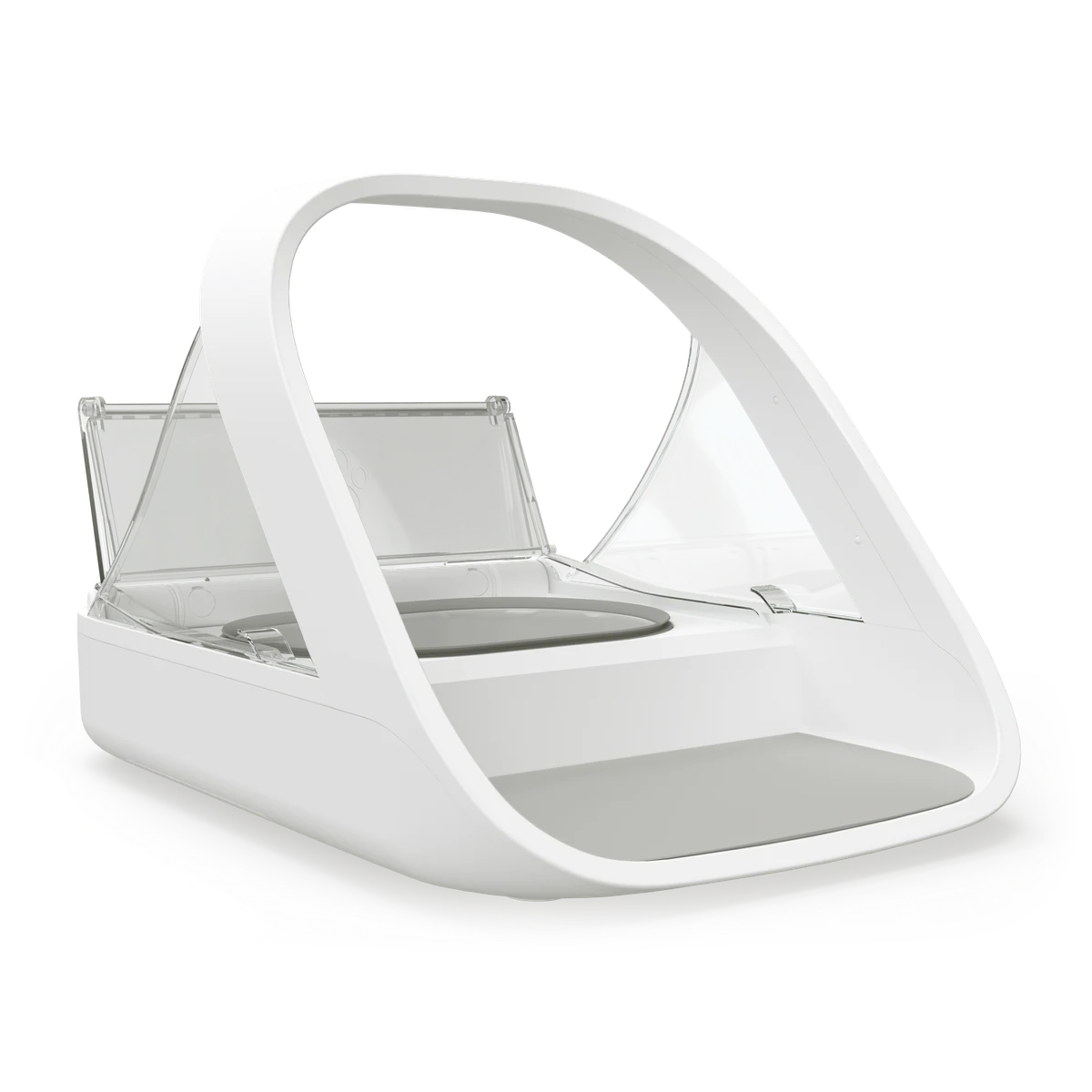
SureFeed Microchip Pet Feeder, standard model, shown at an angle with the lid open.
Manufacturer press photo · Sure Petcare.
Local access to served food

SureFeed Microchip Pet Feeder

Standard · non-Connect
Fits if
You portion food yourself and want compatible chip/tag access with local registration and training controls.
The tradeoff
It protects a served bowl rather than dispensing timed meals; you refill it yourself.
Choose another approach if
Your requirement is a network-free programmed meal schedule.
[9][10]Read the full review
Network ≠ power

Offline is three different questions.

Can you set it up without Wi-Fi? Will stored meals continue through a network interruption? What changes when the power goes out?

4 exact models · manufacturer sources and check dates are listed per model. Network loss assumes the feeder still has power.
Exact model & evidenceFirst setup without Wi-FiNetwork loss, still poweredPower loss & batteriesLimits to keep in mind
PFD00-14574

PetSafe Healthy Pet Simply Feed

Read the model review ↗
Sources ·
First setup without Wi-FiYes · on the device

Set the clock, meal times and portions with its screen and buttons. The documented setup has no app or network step.

Network loss, still poweredLocal schedule

No network dependency is documented for programming or scheduled operation. Remote app access is not part of the documented feature set.

Power loss & batteriesInstalled batteries can back up the adapter

Four alkaline D cells, not included. The optional PAC00-15478 wall adapter can use installed batteries as backup. After total power loss, check and re-enter time and meals when prompted.

Limits to keep in mind

No guaranteed backup duration. No app, remote changes or network alerts are documented. A schedule cannot confirm successful delivery or that a cat ate.

PLAF103 / AF103

PETLIBRO Granary WiFi

Read maker documentation ↗ (opens in a new tab)
Sources ·
First setup without Wi-FiApp-free setup not established

The maker presents app and network pairing as the setup route. Its reviewed materials do not establish an onboard-only way to create the first schedule.

Network loss, still poweredStored meals continue while powered

PETLIBRO documents scheduled feeding during network loss, with the app unavailable. It says offline feeding logs upload after reconnection.

Power loss & batteriesEmergency batteries · feature limits

Three alkaline D cells, not included; do not use rechargeable batteries. Scheduled meals continue on battery power, but Wi-Fi and play/record and reset controls are disabled. Batteries are described as emergency power.

Limits to keep in mind

No guaranteed backup duration. Do not infer remote monitoring during an outage or transfer these claims to another Granary model. Jams, an empty hopper and mechanical faults remain separate.

C500

Cat Mate C500 Five-Meal Feeder

Read maker documentation ↗ (opens in a new tab)
Sources ·
First setup without Wi-FiYes · on-device timer

Set the clock and meal times with the display and buttons. Five compartments offer one immediately available meal and up to four programmed daily openings.

Network loss, still poweredLocal timer

The manual documents button-programmed feeding with no app or network setup step.

Power loss & batteriesBattery-powered · 3 AA cells

Uses three AA cells (not included). Replace all cells within 60 seconds without pressing buttons to retain clock and meal settings. After a longer interruption, re-check and reprogram as needed.

Limits to keep in mind

Wet or dry food, with two included ice packs to freeze before use. Follow the manual and food-handling directions; no universal safe holding time is established.

C3000

Cat Mate C3000 Dry Food Feeder

Read maker documentation ↗ (opens in a new tab)
Sources ·
First setup without Wi-FiYes · on-device timer

Use the feeder’s buttons to set the clock, meal times and quantities, with up to three timed meals per day.

Network loss, still poweredLocal timer

The manual documents button-programmed feeding with no app or network setup step.

Power loss & batteriesBattery-powered · 4 C cells

Uses four C cells; inclusion is unconfirmed. Replace all cells within 60 seconds without pressing buttons to retain settings. After a longer interruption, re-check and reprogram as needed.

Limits to keep in mind

Dry food only; kibble up to 16 mm. Rechargeable and 1.5 V lithium cells are allowed, but the low-battery indicator requires standard alkaline cells.

The ownership worksheet · Interactive

Your batteries. Your routine.

Plan 365 days of battery purchases using your local prices. Keep the feeder, adapter and occasional parts in their own columns.

How this worksheet works ↓
Feeder cost scenario
01

Choose your setup

02

Enter your battery scenario

Use an interval for normal battery power.

03 · Separate purchases & power

Choose only spending you want to include. Blank prices stay unknown. Parts have no assumed annual replacement schedule.

Method, model facts & sources

The period is 365 days: a set started on day one counts once; a replacement at exactly day 365 belongs to the next period. We subtract usable cells on hand once, then round purchases up to whole retail packs. Unused cells and installed-set service remain at the end; a future period must carry both forward.

For backup mode, enter a separate interval for backup / standby use. No outage runtime, food-storage duration or battery-drain model is inferred. Rechargeables need separate charging and cycle-life accounting and are not priced here. Nothing is saved or sent by this worksheet.

Cat Mate C500 · C500

3 × AA. Batteries are not included. Count only usable cells you already have. Alkaline recommended. Manual permits 1.5 V lithium and rechargeables; the low-battery indicator is accurate only with standard alkaline. Approx. 12 months is use-dependent guidance, not a replacement default. The 60-second swap condition concerns settings retention, not battery life. Two ice packs are included. Spare pairs are optional purchases, with no mandatory annual replacement interval.

Cat Mate C3000 · C3000

4 × C. Battery inclusion is unknown: check your actual bundle before entering stock. Alkaline recommended. Manual permits 1.5 V lithium and rechargeables; the low-battery indicator is accurate only with standard alkaline. Approx. 12 months is use-dependent guidance, not a replacement default. The 60-second swap condition concerns settings retention, not battery life. Replacement parts are contingent purchases, with no mandatory annual replacement interval.

PetSafe Healthy Pet Simply Feed · PFD00-14574

4 × D. Batteries are not included. Count only usable cells you already have. Battery operation requires four non-rechargeable alkaline D cells. Adapter PAC00-15478 is optional and not included; installed batteries can provide backup. No battery replacement interval is established. Replacement parts are contingent purchases, with no mandatory annual replacement interval.

Model evidence checked Oct 20, 2026. These three models have documented cost inputs; PLAF103 has no preset in this worksheet. Retail pack prices and replacement intervals come from you. No manufacturer-store price is prefilled.

Before buying

A few useful questions.

Does every Wi-Fi feeder keep feeding without internet?

Check the exact model. PETLIBRO documents stored meals for PLAF103 while offline and powered, with the app unavailable. That does not establish behavior for another model.[3]

Is working offline the same as no Wi-Fi setup?

A connected feeder can depend on an app/network at setup and still retain a stored schedule. Onboard programming is a separate requirement.[3][1]

Does offline scheduling establish power-outage runtime?

Network and power loss are different. Verify the model’s battery mode and disabled features; this guide does not establish an outage duration.[4]

What about an RFID feeder?

One RFID PLAF301 is an app-connected scheduled feeder using its own tag, not a no-network setup substitute. Standard SureFeed uses local chip/tag controls for food you serve. See the RFID vs microchip guide for that distinction.[8][10]

A closer look

Setup, limitations and related reading.

What to compare before choosing
  • Initial setup: Can you enter feeding times on the unit, or does setup require an app and network? PetSafe documents on-device programming for PFD00-14574.
  • Saved schedule: Does the maker explicitly say the schedule continues if the network is down? PETLIBRO says yes for PLAF103; do not apply this to another Wi-Fi model without its own documentation.
  • Power backup: What batteries are required, and which functions stop in battery-only mode? PLAF103 keeps its meal schedule but disables selected functions. PetSafe’s current adapter listing documents installed batteries as backup during loss of mains power; it establishes no guaranteed runtime.
  • Runtime: Is a duration stated for the exact model and conditions? This guide does not claim a backup runtime for PLAF103.
  • Food delivery: How will you notice an empty hopper, jam or missed meal if remote app access is unavailable? Automation does not confirm that a cat ate.

Choose based on the failure you need to handle: a lost network connection during powered use, or loss of household power. If the maker does not document behavior for your exact model, treat it as unknown rather than assuming the schedule or backup will work.

PetSafe power backup and refill preparation

PetSafe’s Healthy Pet Simply Feed PFD00-14574 is programmed on the unit. Its current US adapter listing documents installed batteries as backup during loss of mains power. This supports a fixed routine without network setup; it does not establish a guaranteed outage duration. If all power is lost, check and re-enter time and meal schedule when prompted by setup instructions.

Prime the conveyor after every refill, then verify the next scheduled delivery. Priming prepares the belt; it does not calibrate food to grams. See our Simply Feed review for portion and maintenance constraints.

RFID access and model boundaries

One RFID PLAF301 adds tag-controlled scheduled dry feeding and app setup. Standard SureFeed instead uses local registration and training for a meal you serve. Compare RFID and microchip access before selecting by pet identity.

PETLIBRO’s PLAF103 support documents Wi-Fi and selected controls stopping on battery power. Its operating guide describes alkaline D cells as emergency power. Confirm the exact unit and revision; neither page establishes a guaranteed outage duration.

Which option fits your routine?
  • You want to avoid network setup: start with onboard programming, such as Simply Feed PFD00-14574. Check the portion steps, refill routine and open-bowl access in the Simply Feed review.
  • You already use a connected feeder: look for an explicit stored-schedule statement for its exact model. PLAF103 is one documented example, not a rule for every smart feeder.
  • One cat eats another cat’s meal: network independence alone does not solve access. Standard SureFeed controls access to a manually served bowl; compare RFID and microchip approaches.
Before relying on the feeder
  1. Check the model label, power source and manufacturer’s battery instructions.
  2. Confirm the clock, programmed meals and any paused schedule before use.
  3. Observe a scheduled delivery with your usual food and confirm the bowl is accessible to the intended cat.
  4. For Simply Feed, follow the maker’s conveyor-priming instructions after refilling.
  5. Keep a person available to check food delivery and intake when you are away. A stored schedule cannot show that a cat ate.

These are preparation checks, not a verified battery-runtime or food-delivery guarantee.

Related reading
Sources & evidence 10 references
  1. Healthy Pet Simply Feed Set Up
  2. PetSafe PFD00-14574 US listing
  3. Granary AF103/PLAF103 pre-sale support
  4. How the Granary WiFi Feeder Works (AF103)
  5. Healthy Pet Simply Feed Power Adaptor
  6. PetSafe schedule/programming/Slow Feed
  7. PetSafe priming instructions
  8. PETLIBRO One RFID PLAF301 US product page
  9. SureFeed standard US product page
  10. SureFeed standard manual